Scheduling YouTube videos with Buffer can streamline your content strategy and save time. This guide provides a step-by-step approach to effectively plan and automate your YouTube uploads.
Quick Answer Summary
This comprehensive guide covers essential aspects of schedule youtube videos with buffer: a step-by-step guide, including practical steps, best practices, and expert insights.
Introduction: Why Schedule YouTube Videos?
In today's fast-paced digital landscape, consistency is key to growing a successful YouTube channel. Regularly uploading engaging content keeps your audience hooked and attracts new viewers. However, managing a YouTube channel alongside other commitments can be a real challenge. This is where scheduling your YouTube videos comes in as a game-changer. By planning and scheduling your content in advance, you can maintain a consistent upload schedule without sacrificing your time and sanity.
The Benefits of Scheduling:
- Consistency: Maintain a regular upload schedule to keep your audience engaged and coming back for more.
- Time Management: Batch create and schedule your videos, freeing up time for other important tasks like content planning and audience engagement.
- Strategic Posting: Schedule your videos to publish at optimal times when your target audience is most active.
- Improved Workflow: Streamline your content creation process and reduce the stress of last-minute uploads.
💡 Pro Tip: Analyze your YouTube analytics to identify the days and times when your viewers are most active. Use this data to schedule your videos for maximum impact.
While YouTube offers some basic scheduling features, many creators find that using a dedicated social media scheduling tool like Buffer provides more advanced functionality and a more streamlined workflow. These tools often allow you to manage multiple social media platforms from a single dashboard, saving you even more time and effort.
Why Use a Scheduling Tool Like Buffer?
- Cross-Platform Management: Manage your YouTube channel alongside other social media accounts from one central location.
- Advanced Scheduling Options: Access features like custom scheduling calendars, recurring schedules, and optimal timing recommendations.
- Team Collaboration: Collaborate with team members on content creation, review, and scheduling.
- Analytics and Reporting: Track the performance of your scheduled videos and gain insights into audience engagement.
By embracing scheduling, you can transform your YouTube workflow and unlock the power of consistent, strategic content delivery. This allows you to focus on creating amazing videos and building a thriving community.
Step-by-Step Guide: Scheduling YouTube Videos with Buffer
Scheduling your YouTube videos can significantly improve your content strategy and free up valuable time. Buffer is a popular social media management tool that allows you to plan and schedule your videos in advance. This ensures consistent posting, even when you're busy with other tasks. Here's a step-by-step guide on how to schedule YouTube videos using Buffer:
Key Considerations:
- Ensure your YouTube channel is verified to enable scheduled posting.
- Craft compelling titles and descriptions optimized for search to maximize visibility.
- Prepare engaging thumbnails that accurately represent your video content.
Step 1: Connect Your YouTube Channel to Buffer
First, you'll need to connect your YouTube channel to your Buffer account. Log in to Buffer and navigate to the channels section. Click on the option to add a new channel and select YouTube. You'll be prompted to authorize Buffer's access to your Google account and YouTube channel. Follow the on-screen instructions to complete the connection.
Step 2: Create Your YouTube Post in Buffer
Once your channel is connected, you can start creating your YouTube post. Click on the "Create Post" button and select your connected YouTube channel. Upload your video file and add a title, description, and tags. Optimize these elements for search and engagement. You can also customize your video's privacy settings (public, private, unlisted) within Buffer.
Step 3: Schedule Your Video
After creating your post, it's time to schedule it. Choose a date and time for your video to go live. Buffer offers various scheduling options, allowing you to select a specific time or add your post to a queue for automatic scheduling. Consider your audience's activity patterns when choosing a schedule.
Step 4: Review and Confirm Your Schedule
Before finalizing your schedule, review all the details of your post, including the video file, title, description, tags, and scheduled date and time. Make sure everything is accurate and optimized. Once you're satisfied, click the "Schedule" button to confirm your post. Buffer will then automatically publish your video at the specified time.
💡 Pro Tip: Use Buffer's analytics to track the performance of your scheduled videos and optimize your future posting schedule for better results.
By following these steps, you can effectively schedule your YouTube videos with Buffer, ensuring a consistent content flow and saving you time and effort.
Optimizing Your YouTube Schedule for Success
YouTube success often hinges on consistency and reaching your audience when they're most active. Scheduling your YouTube posts is a key strategy to maintain a regular upload cadence, even when you're busy creating content. By planning ahead, you can ensure your videos are published at optimal times, maximizing their visibility and engagement.
Key Considerations:
- Understanding Your Audience's Best Times: YouTube Analytics provides valuable data about when your viewers are online. Pay close attention to these insights to schedule your uploads accordingly.
- Creating a Consistent Posting Schedule: Choose a schedule you can realistically maintain. Whether it's once a week or multiple times a week, consistency is crucial for building anticipation and loyalty among your subscribers.
- Leveraging Analytics to Refine Your Strategy: Regularly review your video performance data. Are certain upload times resulting in higher views and engagement? Use this information to continuously optimize your scheduling strategy.
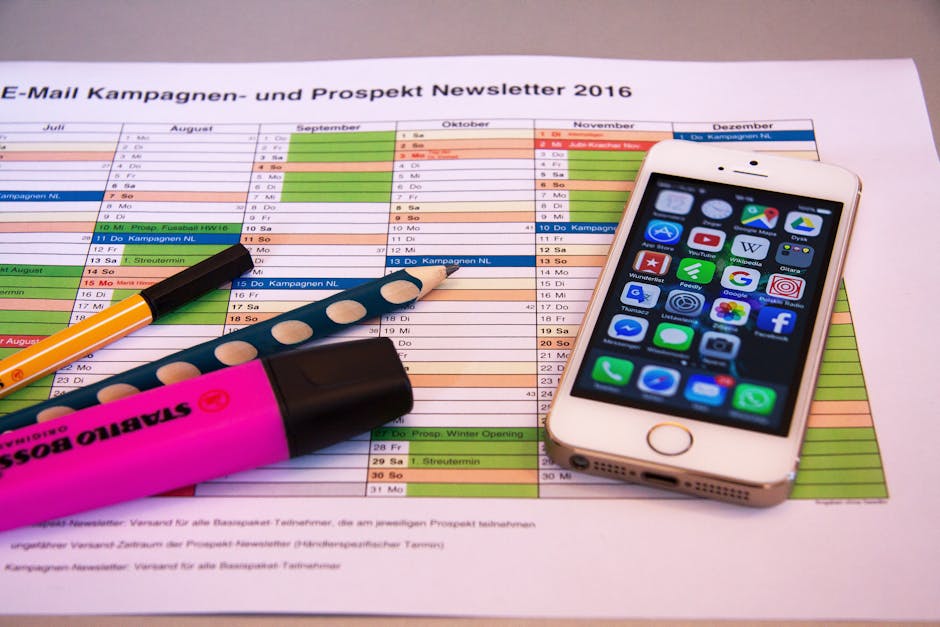
💡 Pro Tip: Many creators use social media scheduling tools to streamline the process of scheduling YouTube videos. These platforms often allow you to plan your content calendar visually and automate the publishing process across multiple platforms. Some tools also offer suggested optimal posting times based on audience activity.
Scheduling your YouTube posts is an effective way to improve audience engagement, maintain a consistent presence, and free up your time to focus on creating high-quality content. By understanding your audience, creating a schedule, and leveraging analytics, you can significantly optimize your YouTube strategy for success. Platforms like PostLayer also provide scheduling capabilities that can streamline this process.
Beyond Scheduling: Enhancing Your YouTube Strategy
Beyond simply scheduling your YouTube videos, a robust strategy focuses on crafting compelling content, optimizing discoverability, and amplifying your reach. Effective scheduling is just one piece of the puzzle. To truly enhance your YouTube presence, consider these key elements.
Key Considerations:
- Creating Engaging Content: Focus on providing value to your audience. This could be through entertainment, education, or solving a problem. Experiment with different video formats (tutorials, vlogs, reviews) to see what resonates best.
- Optimizing Video Titles and Descriptions: Your title and description are crucial for search engine optimization (SEO). Use relevant keywords that accurately reflect your video's content. Write compelling descriptions that entice viewers to click and watch. Many creators find keyword research tools helpful for this.
- Promoting Your Videos Across Other Platforms: Don't rely solely on YouTube's algorithm. Share your videos on other social media platforms like Facebook, Twitter/X, LinkedIn, and Instagram. Consider creating short, attention-grabbing clips for platforms like TikTok or Instagram Reels to drive traffic back to your YouTube channel.
💡 Pro Tip: Use a consistent branding style (thumbnails, intro/outro sequences) to make your channel easily recognizable. This helps build brand awareness and foster a sense of community.
Many creators find that planning content in advance allows for more thoughtful creation and optimization. Tools like PostLayer can help you schedule not just your YouTube videos, but also the promotional content you'll share on other platforms, streamlining your overall social media management workflow. This integrated approach saves time and ensures consistent messaging.
By focusing on content quality, discoverability, and cross-platform promotion, you can significantly enhance your YouTube strategy and achieve your desired results, whether that's increased viewership, subscriber growth, or brand awareness.
Alternatives to Buffer for YouTube Scheduling
While Buffer is a popular choice for scheduling social media posts, including YouTube videos, it's beneficial to explore alternative platforms and features to find the best fit for your specific needs. Many social media management tools offer similar functionalities, and some might provide features more tailored to YouTube content creation and audience engagement.
Key Considerations:
- Pricing and Features: Compare the pricing structures and features offered by different platforms. Some tools might be more cost-effective for your specific usage, while others could offer advanced analytics or team collaboration features that are valuable to your workflow.
- YouTube-Specific Functionality: Look for tools that provide features tailored for YouTube, such as thumbnail optimization, tag suggestions, or direct integration with YouTube analytics.
- User Interface and Ease of Use: The user interface can significantly impact your efficiency. Choose a platform that you find intuitive and easy to navigate.
💡 Pro Tip: When evaluating social media management tools, consider platforms like PostLayer that offer multi-platform scheduling, content calendars, and analytics, potentially streamlining your overall social media strategy.
Beyond third-party tools, YouTube itself offers scheduling capabilities directly within the platform. This can be a convenient option for basic scheduling needs. To access it, simply upload your video and, in the video details section, choose the "Schedule" option. You can then select the date and time you want your video to be published. While this option may lack some of the advanced features offered by dedicated social media management tools, it's a readily available and free solution for scheduling your YouTube content.
Ultimately, the best approach is to research and test different options to determine which platform or strategy best aligns with your content creation goals and workflow. By exploring both third-party tools and platform-specific features, you can optimize your YouTube scheduling and content management process.
Conclusion: Streamline Your YouTube Workflow with Scheduling
Effectively managing a YouTube channel requires a strategic approach to content delivery. Scheduling your videos isn't just about convenience; it's about optimizing your channel for growth and engagement. By planning and scheduling your content in advance, you can maintain a consistent upload schedule, which is favored by the YouTube algorithm and appreciated by your audience. This consistency helps build anticipation and keeps viewers coming back for more.
Key Benefits of YouTube Scheduling:
- Consistent Upload Schedule: Maintain a regular posting frequency to keep your audience engaged.
- Strategic Timing: Publish videos when your audience is most active, maximizing views and engagement.
- Improved Workflow: Batch create content and schedule it in advance, freeing up time for other tasks.
- Promotion Opportunities: Plan promotional activities around your scheduled releases to build hype.
💡 Pro Tip: Analyze your YouTube analytics to identify peak viewing times for your audience. Schedule your videos to publish just before these peak times to capture the most viewers.
Many creators find that using a social media management platform can significantly streamline their YouTube workflow. These platforms often allow you to schedule videos alongside content for other social media channels, providing a centralized hub for all your social media activities. Features like content calendars and team collaboration tools further enhance efficiency.
Platforms like PostLayer offer comprehensive social media management features, including scheduling for YouTube, Instagram, TikTok, and more. With a visual content calendar, AI caption generator, and smart timing recommendations, PostLayer can help creators optimize their content strategy and save time on social media management.
In conclusion, scheduling your YouTube posts is a crucial element of successful channel management. By implementing a scheduling strategy, you can ensure consistent content delivery, optimize engagement, and free up valuable time to focus on creating high-quality videos. Embrace scheduling tools and techniques to take your YouTube channel to the next level.
Conclusion
Understanding and implementing the strategies outlined in this guide will help you make the most of schedule youtube videos with buffer: a step-by-step guide. The key is to start with the fundamentals and gradually build upon your knowledge and skills.
🔑 Key Takeaways
- •Why Schedule YouTube Videos?
- •Step-by-Step Guide: Scheduling YouTube Videos with Buffer
- •Optimizing Your YouTube Schedule for Success
- •Beyond Scheduling: Enhancing Your YouTube Strategy
Quick Answer: Scheduling YouTube videos with Buffer can streamline your content strategy and save time.
Tired of juggling multiple platforms?
You've learned how to schedule YouTube posts with Buffer, but what about Instagram, TikTok, and the rest? PostLayer offers a single, powerful platform to schedule across all your social media channels, including YouTube, with features like AI-powered caption generation and a visual content calendar. Plus, our smart scheduling recommendations ensure your content reaches the right audience at the right time. Start your 7-day free trial today – no credit card required!
Start Scheduling Smarter with PostLayer