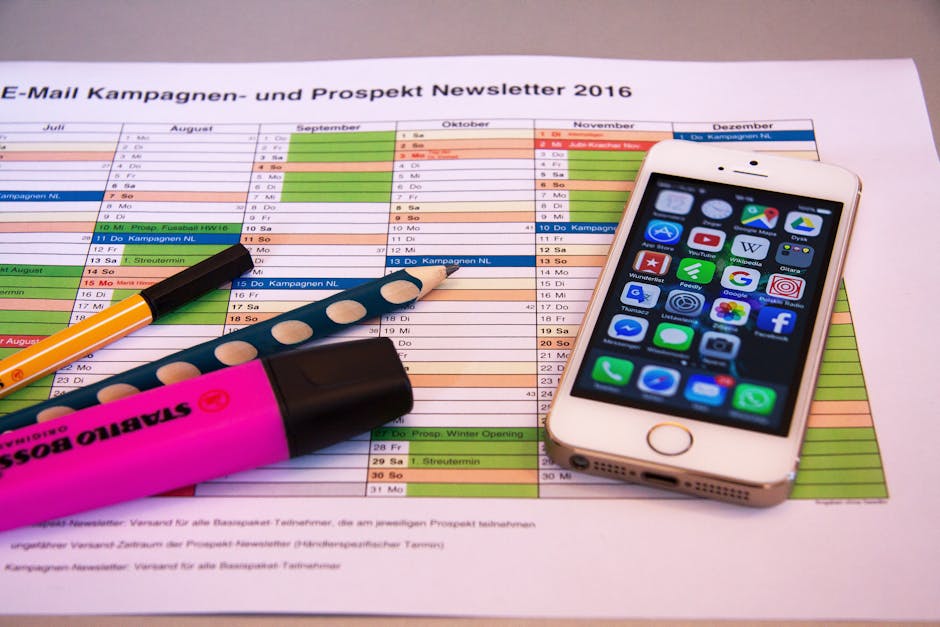
Learn how to schedule your YouTube videos as a real estate agent to maximize your reach, engage with potential clients, and save valuable time. This guide provides a step-by-step approach to planning and automating your YouTube content.
Quick Answer Summary
This comprehensive guide covers essential aspects of schedule youtube posts: real estate agent's guide, including practical steps, best practices, and expert insights.
Introduction: Why Real Estate Agents Should Schedule YouTube Content
YouTube has become an increasingly powerful platform for real estate agents looking to connect with potential clients, showcase properties, and establish themselves as local experts. Video content allows you to visually engage your audience, providing virtual tours, neighborhood spotlights, and informative discussions on the home buying or selling process. Many agents find that a strong YouTube presence translates directly into increased leads and brand recognition.
Key Considerations:
- Consistency is crucial for building a loyal audience on YouTube. Regular uploads keep viewers engaged and signal to the YouTube algorithm that your channel is active.
- Scheduling allows you to maintain a consistent posting schedule, even when you're busy with client meetings, showings, or other business demands.
- Planning your content calendar in advance ensures you have a steady stream of valuable videos ready to go, preventing last-minute scrambles.
💡 Pro Tip: Batch create your YouTube content. Dedicate a day to filming several videos at once, then schedule them for release over the following weeks. This strategy improves efficiency and ensures a consistent flow of content.
Scheduling your YouTube videos offers several key benefits. It saves time by allowing you to front-load your content creation efforts. It also ensures consistent posting, which is vital for audience engagement and channel growth. Furthermore, scheduling provides the opportunity to optimize your video titles, descriptions, and tags in advance, maximizing your video's visibility in search results. Many social media management platforms, like PostLayer, offer YouTube scheduling features to streamline this process. By leveraging these tools, real estate agents can effectively manage their YouTube presence and reap the rewards of a strong video marketing strategy.
Step 1: Planning Your YouTube Content Calendar
Before you even think about scheduling your YouTube videos, you need a solid content plan. This foundational step is crucial for consistent, engaging content that resonates with your target audience and establishes you as a real estate expert. A well-defined plan will save you time and effort in the long run, ensuring your YouTube channel is a valuable asset to your business.
Key Considerations:
- Identifying Your Target Audience and Content Pillars: Define who you're trying to reach. Are you targeting first-time homebuyers, luxury property investors, or renters? Once you know your audience, establish content pillars – broad themes that align with their interests and your expertise. Examples include neighborhood tours, mortgage tips, the buying/selling process, or investment strategies.
- Brainstorming Video Ideas for Real Estate: Generate a list of specific video topics that fall under your content pillars. Think about common questions your clients ask, local market trends, or unique aspects of the properties you represent. Consider creating how-to videos, property tours, interviews with local experts, or market updates.
- Creating a Content Calendar Template: Develop a simple spreadsheet or use a digital calendar to map out your video schedule. Include columns for video title, topic, target keyword, filming date, editing date, upload date, and promotion channels. This will help you stay organized and maintain a consistent posting schedule.
💡 Pro Tip: Batching content creation can be a huge time-saver. Dedicate specific days to filming multiple videos at once, then schedule editing sessions accordingly. This allows you to focus on one task at a time and streamline your workflow.
By taking the time to plan your YouTube content calendar effectively, you'll be well-positioned to create a channel that attracts viewers, builds trust, and generates leads for your real estate business. A structured approach ensures your videos are relevant, timely, and aligned with your overall marketing goals.
Step 2: Optimizing Your Videos for Search
Optimizing your videos is crucial for ensuring they reach the right audience on YouTube. While scheduling gets your content out there consistently, optimization is what helps potential clients find your videos in the first place. This involves several key steps that can significantly improve your video's visibility in search results.
Key Optimization Steps:
- Keyword Research: Use tools like Google Keyword Planner or TubeBuddy to identify keywords that potential clients are searching for related to real estate in your area. Think about terms like "homes for sale in [city]", "best neighborhoods in [city]", or "[city] real estate market update".
- Compelling Titles and Descriptions: Craft titles that are both engaging and keyword-rich. Your description should provide a detailed overview of the video's content, incorporating relevant keywords naturally. The first few sentences of your description are especially important, as they are often displayed in search results.
- Relevant Tags and Hashtags: Use a mix of broad and specific tags to help YouTube understand your video's topic. Include location-based tags, property type tags, and tags related to the content of your video. Similarly, use relevant hashtags in your description to increase discoverability.
💡 Pro Tip: Analyze the top-performing real estate videos in your area. Pay attention to their titles, descriptions, tags, and overall content to get insights into what resonates with your target audience. You can then adapt these strategies to your own videos.
By investing time in optimizing your YouTube videos, you'll increase their chances of being discovered by potential clients who are actively searching for real estate information. This, in turn, can lead to more leads, more clients, and ultimately, more success in your real estate business. Remember that YouTube's algorithm favors videos that provide value to viewers, so focus on creating high-quality, informative content that addresses their needs and interests.
Step 3: Scheduling Your YouTube Videos (Step-by-Step)
Once your real estate video is edited, optimized, and ready to go, scheduling its release on YouTube is a crucial step. Scheduling allows you to maintain a consistent posting schedule, reach your audience at optimal times, and manage your content calendar effectively. Here’s a step-by-step guide to scheduling your YouTube videos:
Key Steps to Scheduling:
- Uploading Your Video: Begin by uploading your video file to YouTube. Click the "Create" button (camera icon) in the top right corner of YouTube and select "Upload video."
- Accessing the YouTube Studio: Once your video is uploading, you'll be directed to the YouTube Studio. This is where you can manage all aspects of your video, including scheduling.
- Setting Visibility to 'Schedule': In the "Details" section, you'll find the "Visibility" settings. Instead of selecting "Public," "Private," or "Unlisted," choose the "Schedule" option.
- Choosing Your Publish Date and Time: After selecting "Schedule", a calendar will appear, allowing you to select the date and time you want your video to go live. Consider your target audience and when they're most likely to be online.
- Adding End Screens and Cards: Before scheduling, enhance viewer engagement by adding end screens and cards. These interactive elements can promote other videos, playlists, or your channel, and drive traffic to your website.
- Finalizing and Scheduling: Review all your settings, including the title, description, tags, thumbnail, and chosen schedule time. Once you're satisfied, click the "Schedule" button to finalize the process.
💡 Pro Tip: Many agents find that scheduling videos a few days or weeks in advance allows for better content planning and promotion across other social media channels. Tools like PostLayer can further streamline this process by allowing you to schedule your YouTube videos and posts on other platforms simultaneously.
By following these steps, you can effectively schedule your real estate videos on YouTube, optimize your content calendar, and ensure your videos reach your target audience at the most opportune times. This proactive approach to content management can significantly boost your online presence and generate more leads for your real estate business.
Step 4: Using Third-Party Scheduling Tools (Optional)
While YouTube's built-in scheduling feature is useful, many real estate agents find that using third-party scheduling tools provides added flexibility and functionality. These platforms often allow you to manage multiple social media accounts from one central dashboard, saving you significant time and effort. They can also offer advanced analytics and features not available directly within YouTube.
Benefits of Third-Party Scheduling Platforms:
- Cross-Platform Management: Schedule content across multiple social media channels, including YouTube, Facebook, Instagram, and more.
- Advanced Analytics: Gain deeper insights into your video performance with detailed analytics and reporting features.
- Enhanced Collaboration: Streamline your workflow by collaborating with team members on content creation and scheduling.
- Time Savings: Batch schedule your content in advance, freeing up time for other important tasks.
Several popular scheduling tools are available, each with its own set of features and pricing. Examples include Buffer, Hootsuite, and Sprout Social. These platforms typically offer a range of functionalities, such as social listening, content curation, and team collaboration. When choosing a tool, consider your specific needs, budget, and the size of your team.
💡 Pro Tip: Look for a tool that offers a free trial to test its features and ensure it meets your requirements before committing to a paid plan.
For real estate agents seeking an efficient and affordable solution for social media management, platforms like PostLayer can be a great option. PostLayer offers multi-platform scheduling, including YouTube, a visual content calendar, and analytics to track your performance. With features like AI caption generation and smart timing recommendations, PostLayer aims to simplify the content creation and scheduling process, allowing you to focus on growing your real estate business.
Ultimately, the decision to use a third-party scheduling tool depends on your individual needs and preferences. However, for many real estate agents, these platforms offer a valuable way to streamline their social media marketing efforts and maximize their reach on YouTube and other social channels.
Step 5: Monitoring and Analyzing Your YouTube Performance
Once you've scheduled and published your real estate videos on YouTube, the work isn't over. Monitoring and analyzing your video performance is crucial for refining your content strategy and maximizing your reach. YouTube Analytics provides a wealth of data about your videos, audience, and overall channel performance. Understanding this data allows you to identify what's working, what's not, and where you can improve.
Key Metrics to Track:
- Views: A basic measure of how many times your video has been watched. While important, it doesn't tell the whole story.
- Watch Time: This metric reflects the total amount of time viewers spend watching your videos. YouTube's algorithm often favors videos with higher watch time, so aim to create engaging content that keeps viewers hooked.
- Audience Retention: This shows you at what point viewers are dropping off. Analyzing audience retention graphs can reveal areas where your videos lose viewers' interest.
- Subscribers: Track how many new subscribers you gain from each video. This indicates whether your content is resonating with viewers enough for them to want to see more.
- Traffic Sources: Understand where your viewers are coming from (e.g., YouTube search, suggested videos, external websites). This helps you optimize your promotion efforts.
💡 Pro Tip: Pay close attention to which types of real estate videos (e.g., property tours, market updates, neighborhood guides) perform best with your target audience. Use this information to guide your future content creation.
Based on your analytics, you can make informed decisions about your content strategy. For example, if you notice that videos with specific keywords in the title or description perform well, you might want to incorporate those keywords into more of your videos. If your audience retention drops off significantly after a certain point in your videos, you might need to re-evaluate your editing or presentation style. Many social media management platforms, like PostLayer, offer analytics dashboards that can help you track your YouTube performance alongside your other social media channels. This provides a holistic view of your online presence and allows you to make data-driven decisions about your content strategy.
Regularly reviewing your YouTube analytics and adjusting your content strategy accordingly is essential for growing your channel and reaching your target audience of potential home buyers and sellers.
Conclusion: Mastering YouTube Scheduling for Real Estate Success
Effectively scheduling your YouTube content is crucial for maintaining a consistent presence and engaging your audience as a real estate agent. By planning and automating your uploads, you can ensure your videos are published at optimal times, even when you're busy with clients or other business operations. This strategic approach not only saves you time but also helps maximize your video's visibility and reach. Many agents find that consistent posting leads to increased watch time and subscriber growth.
Key Takeaways and Best Practices:
- Consistency is Key: Establish a regular posting schedule (e.g., weekly or bi-weekly) and stick to it.
- Optimize for Peak Times: Use YouTube Analytics to determine when your audience is most active and schedule your uploads accordingly.
- Plan Ahead: Batch create several videos at once and schedule them in advance to avoid last-minute rushes.
- Engage in Real-Time: While your videos are scheduled, make sure to actively engage with comments and questions when they are posted.
💡 Pro Tip: Create a content calendar to map out your video topics and scheduling dates. This helps you stay organized and ensures a steady stream of valuable content for your viewers.
There are several social media management platforms available that can assist with scheduling, some even offer features like AI caption generation and hashtag suggestions to further streamline your workflow. For real estate agents managing multiple platforms, tools like PostLayer can be valuable for scheduling across YouTube, Instagram, Facebook, and other channels from a single dashboard. This can save significant time and effort.
Next Steps for Growing Your YouTube Channel
- Analyze and Adapt: Regularly review your YouTube Analytics to understand what's working and what's not, and adjust your strategy accordingly.
- Promote Your Videos: Share your videos on other social media platforms and embed them on your website or blog.
- Collaborate with Others: Partner with other real estate professionals or local businesses to create joint content and expand your reach.
Conclusion
Understanding and implementing the strategies outlined in this guide will help you make the most of schedule youtube posts: real estate agent's guide. The key is to start with the fundamentals and gradually build upon your knowledge and skills.
🔑 Key Takeaways
- •Why Real Estate Agents Should Schedule YouTube Content
- •Step 1: Planning Your YouTube Content Calendar
- •Step 2: Optimizing Your Videos for Search
- •Step 3: Scheduling Your YouTube Videos (Step-by-Step)
Quick Answer: Learn how to schedule your YouTube videos as a real estate agent to maximize your reach, engage with potential clients, and save valuable time.
Stop Wasting Time on YouTube!
You've mastered scheduling YouTube content for real estate, now automate it! PostLayer's multi-platform scheduling, AI caption generator, and smart scheduling recommendations free you to focus on what matters: closing deals. See your YouTube strategy (and all your social media) in one visual calendar. Start your 7-day free trial today – no credit card required!
Try PostLayer Free