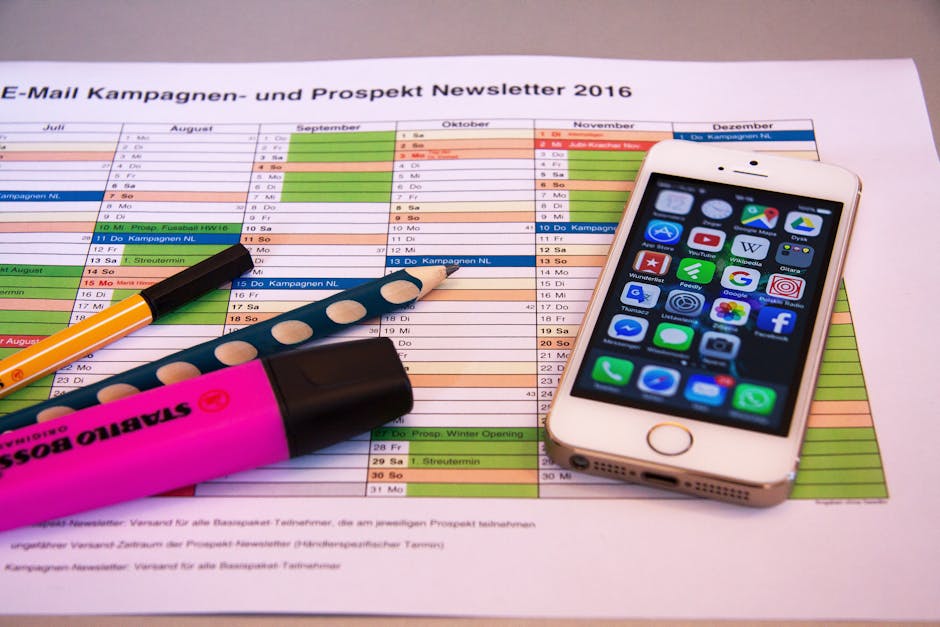
Learn how to effectively schedule LinkedIn posts as an author to build your brand, connect with readers, and promote your work. This guide covers strategies, tools, and best practices for maximizing your LinkedIn presence.
Quick Answer Summary
This comprehensive guide covers essential aspects of schedule linkedin posts: author's guide, including practical steps, best practices, and expert insights.
Introduction: Why Authors Need to Schedule LinkedIn Posts
For authors, LinkedIn represents a powerful, often underutilized, platform for connecting with readers, industry professionals, and potential publishing partners. It's not just for job seekers; it's a dynamic space to establish thought leadership, promote your books, and build a loyal audience. Scheduling your LinkedIn posts is crucial for maximizing your impact and ensuring your content reaches the right people at the right time.
Key Considerations:
- The Power of LinkedIn for Authors: LinkedIn offers a unique opportunity to connect with professionals interested in your book's subject matter. Share excerpts, insights, and behind-the-scenes glimpses into your writing process.
- Time Management and Consistency: Authors are often juggling multiple responsibilities. Scheduling posts allows you to maintain a consistent presence on LinkedIn without constantly interrupting your writing schedule.
- Reaching Your Target Audience: LinkedIn's targeting options allow you to focus your content on specific demographics, industries, and interests. Scheduled posts can be timed to coincide with peak engagement periods for your target audience.
💡 Pro Tip: Experiment with different posting times to identify when your audience is most active on LinkedIn. Use LinkedIn's analytics to track engagement and adjust your schedule accordingly. Many social media management platforms, like PostLayer, can provide insights into optimal posting times based on your audience's activity.
By scheduling your LinkedIn posts, you can effectively leverage this platform to build your author brand, connect with your audience, and promote your work. It allows for consistent engagement without demanding constant real-time attention, ultimately freeing up your time to focus on what you do best: writing. Explore social media management platforms to streamline the scheduling process and gain valuable insights into your content's performance.
Understanding LinkedIn's Algorithm and Best Practices
To maximize the impact of your LinkedIn posts as an author, understanding the platform's algorithm and adopting best practices is crucial. LinkedIn prioritizes content that fosters meaningful engagement and provides value to its users. This means focusing on quality over quantity and tailoring your posts to resonate with your target audience.
Key Considerations:
- What LinkedIn Rewards: The algorithm favors posts that generate comments, shares, and reactions. Sparking conversations and offering insightful content are key to increasing visibility.
- Optimal Posting Times for Authors: While there's no one-size-fits-all answer, many studies suggest that posting during business hours on weekdays tends to yield higher engagement. Experiment with different times to see what works best for your audience.
- Content Formats That Perform Well: LinkedIn users often engage with a variety of content, including text-based updates, images, videos, and articles. Consider sharing excerpts from your book, behind-the-scenes glimpses into your writing process, or thought leadership pieces related to your book's themes.
💡 Pro Tip: Use relevant hashtags to increase the discoverability of your posts. Research industry-specific and book-related hashtags to reach a wider audience interested in your work.
By understanding LinkedIn's algorithm and implementing these best practices, you can create a more effective content strategy that connects you with readers, promotes your work, and establishes you as an authority in your field. Regularly analyzing your engagement metrics and adapting your approach will further optimize your results.
Step-by-Step Guide to Scheduling LinkedIn Posts
Effectively managing your LinkedIn presence often requires careful planning and consistent posting. Scheduling your content allows you to maintain a steady flow of updates, even when you're busy writing your next book or engaging with readers. This step-by-step guide outlines how to schedule your LinkedIn posts, ensuring your audience stays engaged and informed.
Planning Your Content Calendar
Before you start scheduling, it's crucial to plan your content calendar. Consider the themes, topics, and types of content you want to share. Think about when your audience is most active and tailor your posting schedule accordingly. Many authors find that sharing excerpts, behind-the-scenes glimpses into their writing process, or insights related to their book's themes resonates well with their LinkedIn network.
Using LinkedIn's Native Scheduling Tool
LinkedIn offers a native scheduling feature directly within the platform. When composing a post, look for the clock icon in the bottom right corner. Clicking this allows you to select a specific date and time for your post to go live. While convenient for occasional scheduling, it may lack the advanced features of dedicated scheduling tools.
Leveraging Third-Party Scheduling Tools
For more robust scheduling capabilities, consider using third-party social media management tools. These platforms often provide features such as bulk scheduling, content calendars, and analytics. For example, PostLayer is a platform designed to streamline social media management, offering multi-platform scheduling, a visual content calendar, and analytics to track performance. These tools can save time and effort, especially when managing multiple social media accounts. They often include features like AI-powered caption generation and hashtag suggestions to optimize your content.
Key Considerations:
- Batch your content creation to maximize efficiency.
- Use analytics to understand which content performs best and adjust your strategy.
- Remember to engage with comments and messages to foster a strong connection with your audience.
💡 Pro Tip: Don't just schedule and forget! Regularly check in to interact with your audience and ensure your content remains relevant.
By planning your content, utilizing LinkedIn's native scheduling tool, or leveraging third-party platforms, you can effectively manage your LinkedIn presence and connect with your audience on a consistent basis.
Choosing the Right Scheduling Tool
Effectively scheduling your LinkedIn posts is crucial for authors aiming to build a strong online presence without dedicating excessive time each day. Choosing the right scheduling tool can streamline your workflow, ensuring consistent content delivery and engagement with your audience. Many tools are available, each offering a unique set of features and pricing plans. It's important to evaluate your specific needs and budget before making a decision.
Features to Look For:
- Multi-Platform Support: While you're focusing on LinkedIn, consider tools that also support other platforms like Twitter/X, Facebook, and Instagram for broader social media management.
- Content Calendar: A visual content calendar is invaluable for planning and organizing your posts, providing a clear overview of your social media strategy.
- Analytics and Reporting: Look for tools that offer insights into post performance, allowing you to track engagement and optimize your content strategy over time.
- User-Friendly Interface: A clean and intuitive interface can significantly reduce the learning curve and make scheduling posts a breeze.
Popular LinkedIn scheduling tools include options like Buffer, Hootsuite, and Sprout Social. These platforms typically offer a range of features, from basic scheduling to advanced analytics and team collaboration tools. However, pricing and feature sets can vary significantly, so it’s wise to compare different options. Many creators and small businesses are also seeking more affordable and user-friendly alternatives.
💡 Pro Tip: Take advantage of free trials offered by scheduling tools to test their features and user interface before committing to a paid plan.
PostLayer is a modern SaaS platform designed to simplify social media scheduling, content management, and analytics for creators, small businesses, and agencies. It offers multi-platform scheduling, including LinkedIn, a visual content calendar, and features like AI caption generation and hashtag suggestions. For authors looking for a straightforward and affordable solution to manage their LinkedIn presence, PostLayer provides a viable option with its focus on ease of use and creator-centric features.
PostLayer Features for Authors:
- Efficient Scheduling: Schedule your book promotions, excerpts, and author updates in advance to maintain a consistent presence on LinkedIn.
- AI Caption Generator: Overcome writer's block with AI-powered caption suggestions tailored to your content.
- Analytics & Insights: Track the performance of your posts to understand what resonates with your audience and optimize your content strategy.
Ultimately, the best scheduling tool for you will depend on your individual needs and preferences. By carefully evaluating the features and pricing of different options, you can choose a tool that helps you save time, stay organized, and effectively reach your target audience on LinkedIn.
Crafting Engaging LinkedIn Content for Authors
LinkedIn offers authors a unique platform to connect with readers, industry professionals, and potential collaborators. Moving beyond simple book announcements, consistent and engaging content is key to building a strong author brand. Strategically sharing excerpts, offering behind-the-scenes glimpses into your writing process, and actively engaging with your audience can significantly expand your reach and influence.
Key Considerations:
- Sharing Excerpts and Behind-the-Scenes Content: Tease your audience with compelling excerpts from your book, but avoid overwhelming them. Offer insights into your writing routine, research process, or character development to foster a deeper connection.
- Engaging with Your Audience: Respond to comments and messages promptly. Pose questions related to your book's themes or your writing process to spark conversation. Participate in relevant LinkedIn groups to establish yourself as an authority in your niche.
- Promoting Events and Book Launches: Use LinkedIn to announce upcoming book launches, readings, or workshops. Create event pages to manage RSVPs and share relevant details. Consider running targeted ads to reach a wider audience interested in your genre.
💡 Pro Tip: Many authors find it helpful to schedule their LinkedIn posts in advance to maintain a consistent presence. Consider utilizing a social media management tool to plan and automate your content distribution. This can save you time and ensure your message reaches your audience at optimal times.
By thoughtfully curating your LinkedIn content, you can cultivate a thriving community around your work and position yourself as a thought leader in your field. Remember to balance promotional content with valuable insights and engaging interactions to build lasting relationships with your audience.
Analyzing Your LinkedIn Performance and Optimizing Your Strategy
Effective LinkedIn scheduling isn't a "set it and forget it" strategy. Regularly analyzing your performance is crucial for optimizing your posting schedule and content strategy. Understanding what resonates with your audience allows you to refine your approach for greater engagement and reach.
Key Metrics to Track:
- Engagement Rate: Monitor likes, comments, shares, and clicks to gauge audience interest in your content.
- Reach and Impressions: Track how many unique users see your posts and the total number of times your content is displayed.
- Website Traffic: If you include links in your posts, track the referral traffic from LinkedIn to your website using tools like Google Analytics.
- Audience Demographics: Understand the job titles, industries, and locations of your followers to tailor your content accordingly.
💡 Pro Tip: LinkedIn's built-in analytics dashboard provides valuable insights into your post performance and audience demographics. Regularly review this data to identify trends and areas for improvement.
Based on your analytics, adjust your posting schedule to align with times when your audience is most active. Experiment with different content types, such as articles, videos, images, and polls, to see what performs best. Many find that varying content formats keeps their feed interesting and attracts a wider audience. Don’t be afraid to test new approaches and iterate based on the data you collect. Social media management platforms often offer features to help analyze performance and optimize posting schedules.
Optimizing Your Strategy:
- Adjust Your Posting Times: Experiment with different times of day and days of the week to find the optimal schedule for your audience.
- Refine Your Content: Analyze which content types and topics resonate most with your audience and create more of what they love.
- Engage with Your Audience: Respond to comments and messages promptly to build relationships and foster a sense of community.
By consistently tracking your LinkedIn performance and making data-driven adjustments, you can significantly improve your engagement, reach, and overall impact on the platform.
Conclusion: Mastering LinkedIn Scheduling for Author Success
Effectively scheduling your LinkedIn posts is a crucial step towards establishing a strong author presence and consistently engaging with your audience. By implementing a well-thought-out scheduling strategy, you can maintain a steady stream of valuable content, even with a busy writing schedule. This ensures your profile remains active and visible to potential readers, publishers, and collaborators.
Key Takeaways:
- Consistency is key on LinkedIn. A regular posting schedule keeps your audience engaged and informed.
- Scheduling allows you to optimize your posting times for maximum reach and engagement. Research optimal posting times for your specific audience.
- Using scheduling tools helps you batch create content and plan your strategy in advance, saving time and maintaining focus.
💡 Pro Tip: Experiment with different content formats (articles, images, videos) and posting times to identify what resonates best with your LinkedIn audience. Analyze your engagement metrics to refine your scheduling strategy over time.
Many authors find social media management tools invaluable for scheduling across multiple platforms. These tools streamline the process of planning, creating, and distributing content. Platforms like PostLayer offer features such as a content calendar, scheduling across multiple social media platforms, and analytics to track performance. This can be particularly useful when managing a presence on LinkedIn alongside other social channels.
Next Steps: Start by auditing your existing LinkedIn profile and content. Identify gaps in your content strategy and begin planning your upcoming posts. Explore scheduling tools that fit your needs and budget, and begin experimenting with different posting times and content formats. By consistently applying these strategies, you can significantly enhance your LinkedIn presence and connect with a wider audience.
Conclusion
Understanding and implementing the strategies outlined in this guide will help you make the most of schedule linkedin posts: author's guide. The key is to start with the fundamentals and gradually build upon your knowledge and skills.
🔑 Key Takeaways
- •Why Authors Need to Schedule LinkedIn Posts
- •Understanding LinkedIn's Algorithm and Best Practices
- •Step-by-Step Guide to Scheduling LinkedIn Posts
- •Choosing the Right Scheduling Tool
Quick Answer: Learn how to effectively schedule LinkedIn posts as an author to build your brand, connect with readers, and promote your work.
Stop Wasting Time on LinkedIn!
As an author, your time is precious. Don't let scheduling LinkedIn posts steal your focus. PostLayer's smart scheduling, AI caption generator, and visual calendar make it easy to maintain a consistent presence and connect with readers. Ready to reclaim your writing time?
Start Your 7-Day Free Trial