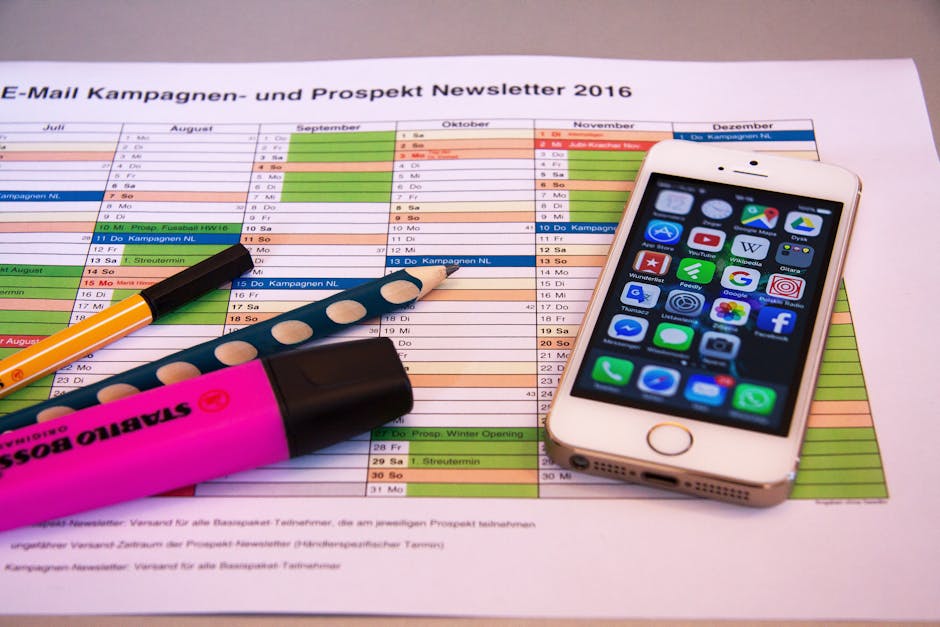
Discover simple methods to locate and manage your scheduled TikTok posts. This guide provides clear instructions for effective content planning and scheduling on TikTok.
Quick Answer Summary
This comprehensive guide covers essential aspects of find scheduled tiktok posts: a free guide, including practical steps, best practices, and expert insights.
Introduction: Mastering TikTok Scheduling
TikTok has revolutionized short-form video content, and for creators and businesses alike, consistent posting is key to building a strong presence. Scheduling TikToks in advance can be a game-changer, allowing you to maintain a steady flow of content even when you're busy. This strategic approach helps you reach your audience at optimal times, maximizing engagement and growth. By planning your content calendar, you can ensure your videos are published when your target demographic is most active.
Benefits of Scheduling TikTok Content:
- Maintain a consistent posting schedule, which is crucial for algorithm favor and audience retention.
- Save time by batch-creating and scheduling content in advance.
- Optimize posting times to align with peak audience activity.
- Improve overall content strategy by planning themes and campaigns.
Once you've embraced scheduling, knowing how to easily find and manage your scheduled posts is essential. You'll need to review upcoming content, make edits, or reschedule posts as needed. Many users find that they need to locate scheduled posts to ensure their content calendar aligns with current trends or timely events. Efficiently managing your scheduled content allows for a more agile and responsive TikTok strategy.
💡 Pro Tip: Regularly check your scheduled posts to ensure they are still relevant and align with your overall content strategy. Don't be afraid to make adjustments based on current trends or audience feedback.
Finding and managing scheduled TikToks is a vital part of any successful content strategy. It allows for efficient planning, optimization, and ultimately, greater success on the platform. Many scheduling platforms, like PostLayer, offer a visual content calendar and management tools to help streamline this process. With these tools, you can ensure your TikTok presence remains consistent, engaging, and effective.
How to Find Scheduled Posts Directly on TikTok (Free Method)
TikTok's built-in scheduling feature allows you to plan your content in advance, saving you time and ensuring consistent posting. Finding your scheduled posts is straightforward, allowing you to review, edit, or delete them as needed. This guide will walk you through the process of accessing and managing your scheduled TikTok content directly within the app.
Key Considerations:
- Scheduled posts are saved within the TikTok app itself, so you'll need to access them directly on your mobile device.
- The scheduling feature is available to most TikTok users, but availability may vary depending on app version and region.
- Regularly check your scheduled posts to ensure they are still relevant and accurate, especially if you are scheduling content far in advance.
Step-by-Step Guide to Accessing the Scheduler
Accessing your scheduled posts is a simple process:
- Open the TikTok app on your mobile device.
- Tap the "+" button at the bottom of the screen to start creating a new post.
- Create your video or upload content from your device.
- On the post settings screen (where you add a caption, hashtags, etc.), look for the "Schedule post" option. If you don't see it, make sure you meet the account requirements (typically, business accounts or accounts with a certain follower count have access).
- Tap on "Schedule post".
- The "Scheduled videos" area should be visible after you schedule at least one post.
Navigating the Scheduled Posts Section
Within the "Scheduled videos" area, you'll see a list of all your upcoming posts. Each entry typically displays the scheduled date and time, along with a preview of the video.
Understanding Post Status and Options (Edit, Delete)
From the scheduled posts list, you can usually tap on a specific post to view more options. These options commonly include:
- Edit: Allows you to modify the caption, hashtags, scheduled time, or other post details.
- Delete: Removes the post from the schedule.
💡 Pro Tip: If you find TikTok's native scheduling limiting, consider using a social media management platform like PostLayer. These platforms often offer more advanced features, such as cross-platform scheduling, content calendars, and analytics, allowing for more efficient social media management.
By following these steps, you can easily find and manage your scheduled TikTok posts, ensuring your content strategy stays on track.
Troubleshooting: Common Issues and Solutions
Managing scheduled TikTok posts can sometimes present challenges. While TikTok offers a built-in scheduling feature, users occasionally encounter issues. This section addresses some common problems and provides practical solutions to help you maintain a smooth content calendar.
Scheduled Posts Not Showing Up?
If your scheduled TikTok posts aren't appearing as expected, there are a few potential causes. First, ensure that the scheduled time has indeed passed. Sometimes, a simple refresh of the app is all that's needed. If the post is still missing, check your drafts folder; it may have inadvertently saved there instead. Another possibility is a glitch within the app itself. Try clearing the app's cache or reinstalling it. Finally, verify that the video meets TikTok's content guidelines and hasn't been flagged for review.
Issues with Editing Scheduled Posts
Editing a scheduled TikTok post directly within the app can be limited. Often, you can only adjust the caption or privacy settings. If you need to make significant changes to the video itself, it's generally best to delete the scheduled post and re-upload the edited version. For more advanced editing capabilities and more flexible scheduling options, many creators and businesses turn to third-party social media management platforms. These platforms can offer a wider range of editing tools and scheduling features, making content management more efficient.
Deleting Scheduled Posts: What to Know
Deleting a scheduled TikTok post is usually straightforward. Navigate to your scheduled posts within the app (typically found in drafts), select the post you want to remove, and choose the "delete" option. Keep in mind that once a scheduled post is deleted, it's permanently removed. If you think you might want to use the content later, consider saving a copy of the video to your device before deleting it. For users managing multiple social media accounts, accidentally deleting scheduled content can be a significant setback. Social media management tools like PostLayer offer a visual content calendar, which makes it easier to keep track of scheduled posts and avoid accidental deletions. PostLayer also allows for efficient rescheduling if needed, and helps to ensure no content is lost.
Leveraging Third-Party Tools for Enhanced Scheduling (and Finding Posts)
While TikTok doesn't natively offer a robust, easily accessible feature to view all scheduled posts in one centralized location, leveraging third-party scheduling tools provides a significantly enhanced experience for managing and monitoring your content calendar. These platforms streamline the scheduling process and offer clear visibility into your planned TikTok posts.
Benefits of Using Third-Party Schedulers:
- Centralized Content Calendar: See all your scheduled TikTok posts alongside content for other social media platforms in one unified view.
- Improved Organization: Easily manage, edit, and reschedule posts as needed.
- Time Savings: Schedule content in advance, freeing up time for other essential tasks.
Several popular scheduling platforms cater to social media managers, including Buffer, Hootsuite, and Later. These platforms often provide a visual calendar where you can review scheduled posts. The specific steps for finding your scheduled content will vary depending on the platform you choose, but generally, you'll find a calendar or "scheduled posts" section within the tool's interface.
💡 Pro Tip: Explore the platform's help documentation or knowledge base for specific instructions on locating your scheduled posts.
PostLayer is a modern SaaS platform designed for efficient social media management, including TikTok scheduling. With PostLayer, you can easily view all your scheduled TikTok posts within a clear, intuitive visual content calendar. This allows you to manage your content pipeline effectively, ensuring a consistent and engaging presence on the platform.
PostLayer's multi-platform scheduling capabilities, combined with its user-friendly interface, make it an excellent solution for creators, small businesses, and agencies looking to streamline their TikTok content planning and execution. The platform's features, such as AI caption generation and smart timing recommendations, further enhance the scheduling process and contribute to improved content performance. A simple, visual calendar makes it easy to identify and manage scheduled TikTok posts, ensuring no content is missed and that your strategy stays on track.
Best Practices for TikTok Content Scheduling
Effective TikTok content scheduling hinges on a well-defined strategy, not just randomly queuing up videos. It begins with understanding your audience and planning content that resonates with them. A content calendar is indispensable for visualizing your schedule and ensuring a consistent flow of engaging content. Many creators find that mapping out themes, key dates, and content pillars helps maintain a cohesive brand presence and prevent content gaps.
Key Considerations:
- Brainstorm content ideas aligned with your niche and target audience.
- Utilize a spreadsheet, digital calendar, or dedicated social media management tool to plan your posts.
- Consider incorporating trending sounds and challenges into your schedule.
💡 Pro Tip: Batch create content in advance to save time and maintain consistency. This allows you to focus on engagement and community building.
Optimizing your post timing is crucial for maximizing engagement. While TikTok's algorithm is constantly evolving, generally, posting when your audience is most active yields better results. Analyze your TikTok analytics (if available) to identify peak engagement times. Many creators find that experimenting with different posting times and tracking performance is key. Remember that audience behavior can vary based on factors like location and demographics.
Key Considerations:
- Test different posting times to identify when your content performs best.
- Consider using social media scheduling tools like PostLayer, which offer smart timing recommendations based on audience activity.
- Factor in time zone differences if your audience is geographically diverse.
Reviewing and adjusting your schedule regularly is essential for continuous improvement. TikTok's landscape is dynamic, and what worked yesterday might not work today. Monitor your post performance, analyze engagement metrics, and adapt your content strategy accordingly. Pay attention to trending topics, algorithm updates, and audience feedback to stay ahead of the curve. This iterative approach will help you refine your content and optimize your posting schedule for maximum impact.
Key Considerations:
- Track key metrics such as views, likes, comments, and shares.
- Analyze your top-performing content to identify patterns and trends.
- Stay informed about TikTok algorithm updates and adjust your strategy accordingly.
By implementing these best practices, you can create a TikTok content schedule that not only saves you time but also enhances your engagement and reach.
Conclusion: Taking Control of Your TikTok Content
Managing your TikTok content effectively requires a clear understanding of your scheduled posts. While TikTok's native features for scheduling are limited, knowing how to locate and review these posts is crucial for maintaining a consistent and engaging presence. This section recaps the methods we've discussed and provides final thoughts on optimizing your TikTok strategy.
Key Considerations:
- Check the Drafts Folder: Scheduled TikToks are typically saved as drafts until their scheduled publish time. Regularly review your drafts to ensure the content is still relevant and error-free.
- Utilize Third-Party Scheduling Tools: Many social media management platforms offer more robust scheduling features and a clearer overview of scheduled posts than TikTok itself. These tools often provide a visual calendar and detailed information about each scheduled piece of content.
- Monitor Notifications: While not always reliable, TikTok may send notifications regarding scheduled posts. Keep an eye out for these alerts, especially if you're heavily reliant on scheduled content.
💡 Pro Tip: If you're managing multiple TikTok accounts or scheduling a high volume of content, consider using a dedicated social media management platform like PostLayer. These platforms offer a centralized view of all your scheduled posts across different social media channels, saving you time and preventing errors.
Effective TikTok management extends beyond simply posting videos. Regularly analyzing your content's performance, engaging with your audience, and staying up-to-date with the latest trends are all essential components of a successful strategy. By mastering the art of scheduling and monitoring your posts, you can take control of your TikTok content and maximize its impact. Remember to consistently evaluate your approach and adapt to the ever-changing landscape of the platform.
Conclusion
Understanding and implementing the strategies outlined in this guide will help you make the most of find scheduled tiktok posts: a free guide. The key is to start with the fundamentals and gradually build upon your knowledge and skills.
🔑 Key Takeaways
- •Mastering TikTok Scheduling
- •Find Scheduled Posts Directly on TikTok (Free Method)
- •Troubleshooting: Common Issues and Solutions
- •Leveraging Third-Party Tools for Enhanced Scheduling (and Finding Posts)
Quick Answer: Discover simple methods to locate and manage your scheduled TikTok posts.
Tired of TikTok's Scheduling Limitations?
Easily manage and visualize all your scheduled TikToks (and more!) with PostLayer. Unlock a multi-platform content calendar, AI-powered caption generation, and smart scheduling – all in one place. Start your 7-day free trial today, no credit card needed!
Start Scheduling Smarter